

I like to be organized, because it makes life run much more smoothly. It’s just hard to actually stay organized and keep on top of things. Mealtime preparation and organization consumes a large chunk of my time and energy, so sometimes I could use a little help. Okay, a lot of help.
I think a meal planning service is a great way to help busy families stay organized and maintain healthy eating habits. Savingdinner.com gave me a 3-month trial of their new Premium Menu Mailer program so that I could share my experience with you. So let me give you a little tour…
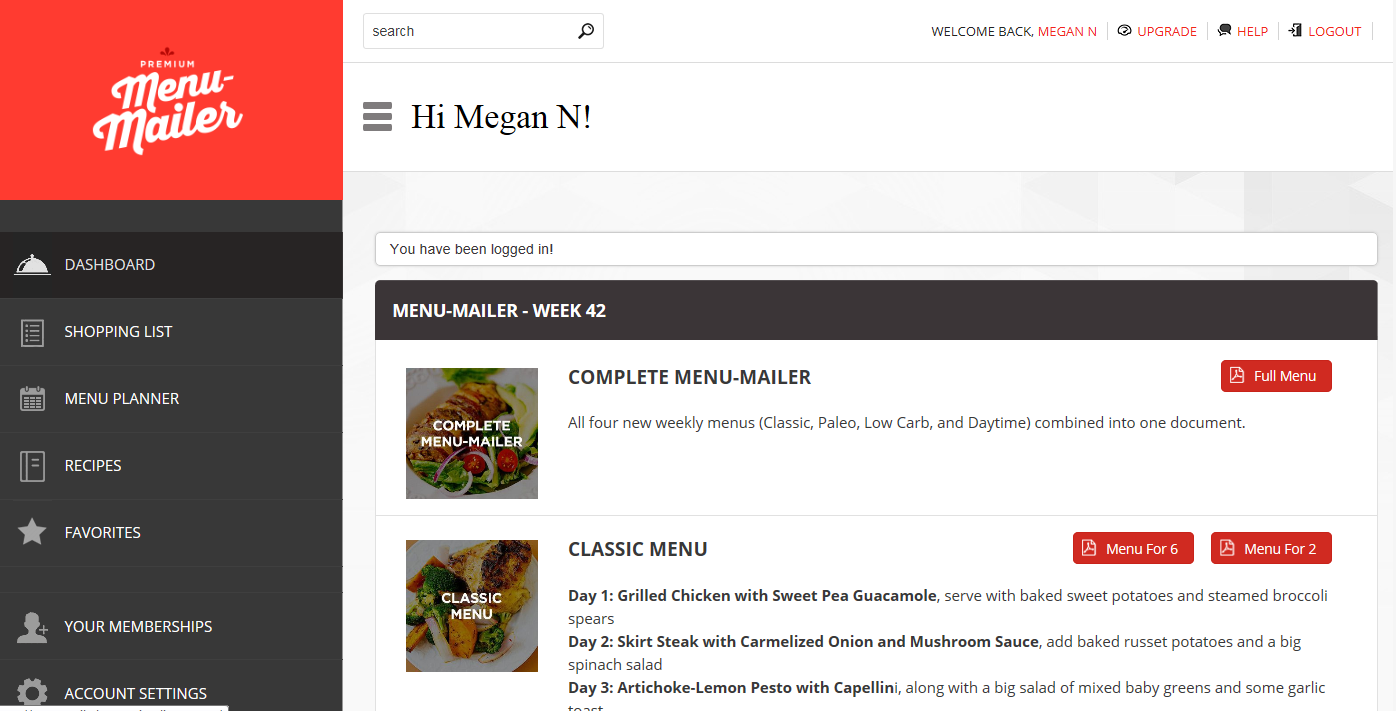
When you first log in, you arrive at the dashboard. It has a friendly welcome, clean and simple layout, with easy navigation. It offers to give you a guided tour, if you need it. I’m doing that for you here! It offers a complete printable weekly menus for Classic, Paleo, Low Carb, and daytime options. You can select a menu for 2 people, or 6 people – whatever works for your family. The menus include recipes and grocery lists. They have everything you need for the week all in one document. Just print it off, do your grocery shopping, and you’re ready to go!
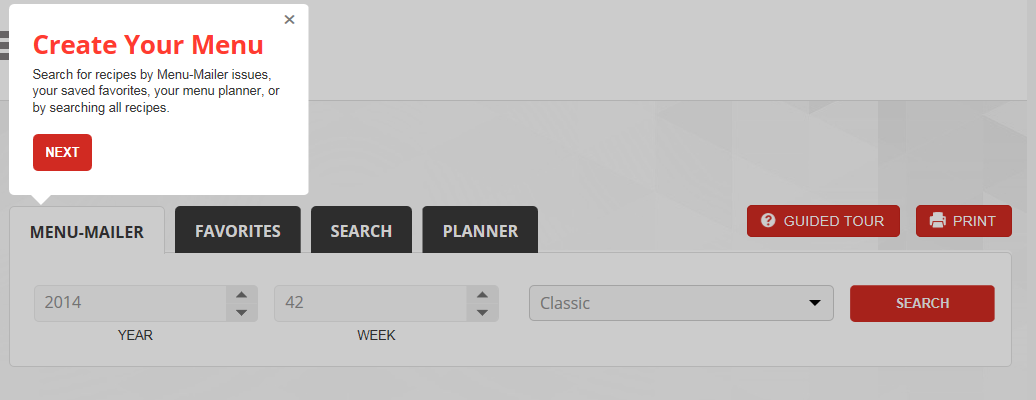
Now, if you’re like me and you like to customize your own meal plan, you can do that, too. If you click on SHOPPING LIST, you can search for recipes and add them to your list.
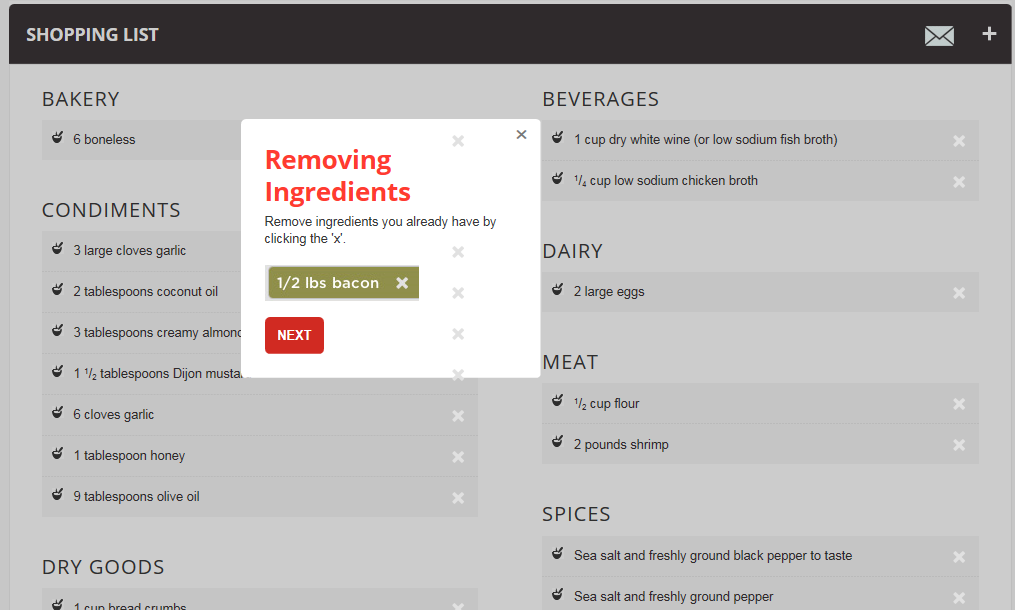
When you add a recipe to your menu, it automatically populates the ingredients into a shopping list divided into categories that you would find in the grocery store: Bakery, Canned Goods, Dairy, Meat, Produce, etc. The categories aren’t always perfect; as you may notice in the list below, there are “6 boneless” in the Bakery section. I think that’s supposed to be “boneless chicken,” which would be in the Meat section, but you get the idea.
If there are any ingredients you already have on hand, you can easily remove them from your list.
Or if you want to add something to you list manually, you can do that as well.
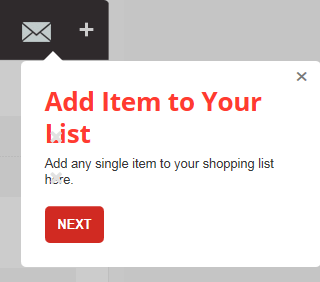
When you’re done your list, you can email it to yourself or whoever is doing the shopping so they’ll have it handy.

When you click on MENU PLANNER, you’ll see the recipes you selected on your shopping list. You can drag and drop these recipes into your calendar to create your menu plan for the day, week, or month.
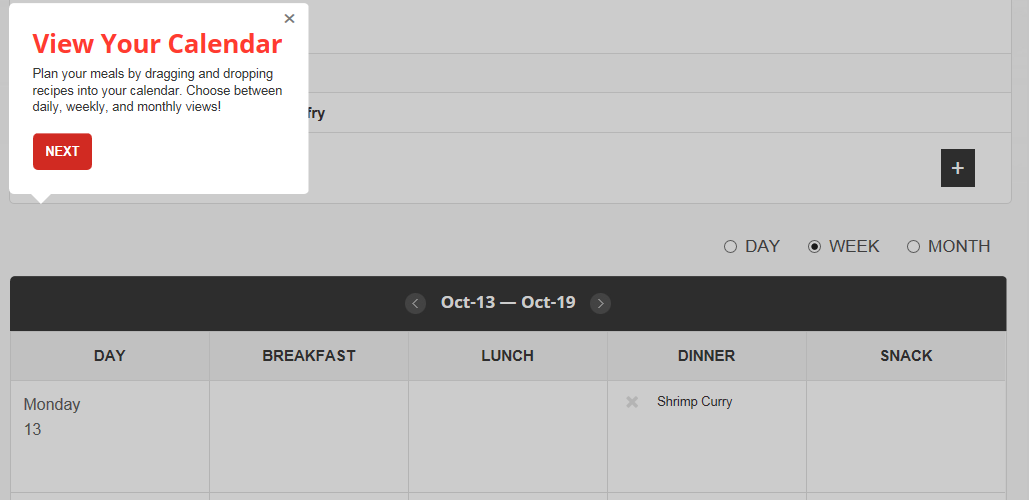
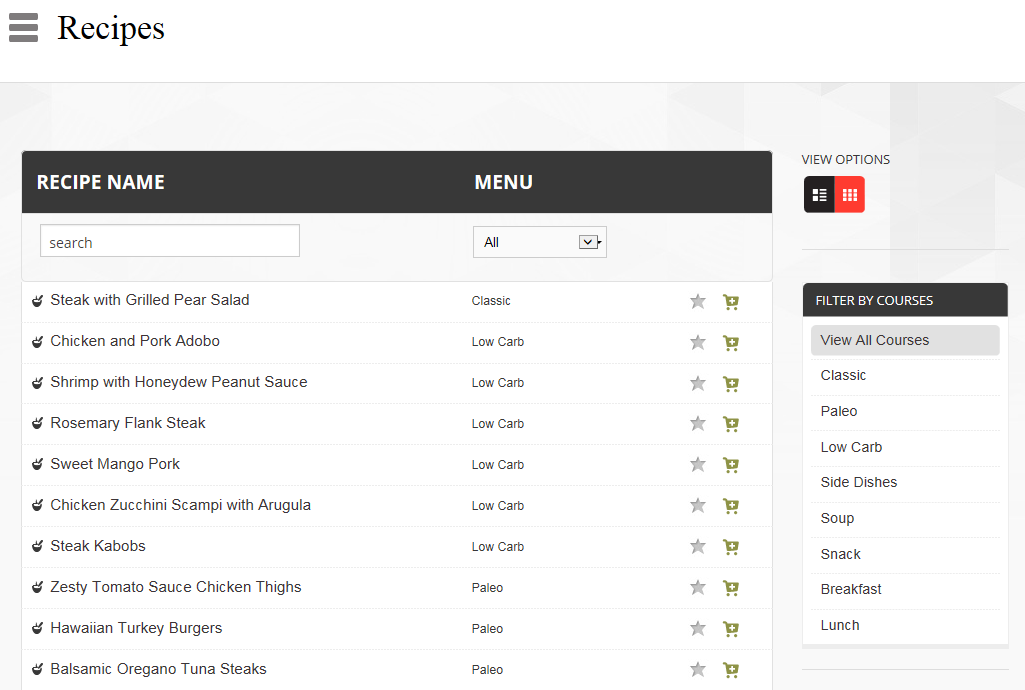
If you feel like browsing through recipes and picking out some favourites to try later, select RECIPES from the sidebar. There’s a huge selection of recipes, and you can filter them by courses and menu-type. Click on the star to add to favourites, or click on the shopping cart to add the ingredients to your shopping list.
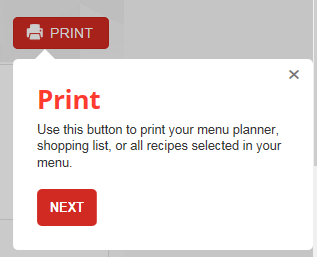
And of course, when you’ve finished creating your plan, you can print off everything you need.
Pretty neat, huh?
Now that you know how it works, I’ll tell you how the meals tasted. I must warn you though that I have a problem sticking to recipes (what food blogger doesn’t?), so these are my adaptations of the recipes provided.
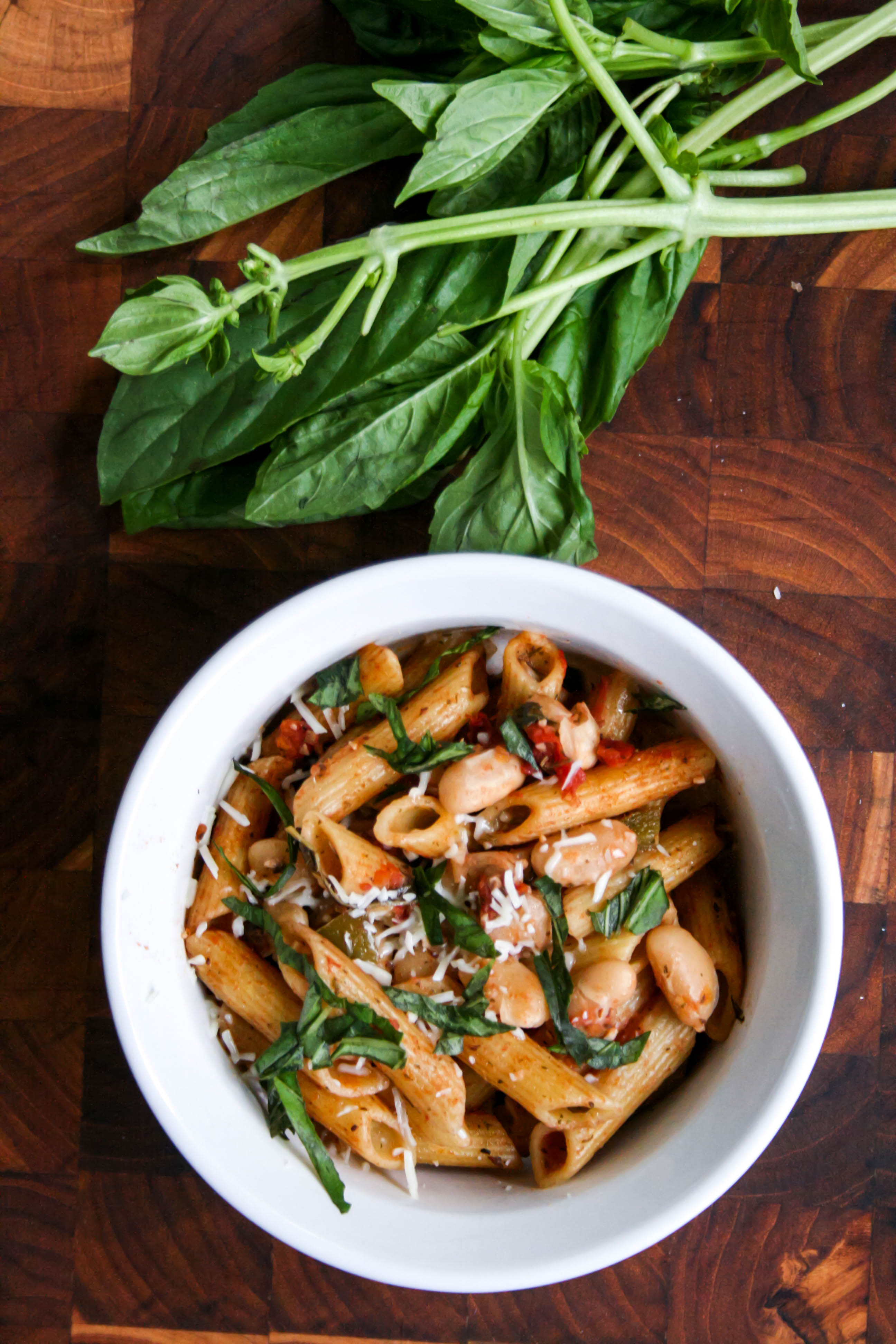
First up – White Bean Penne. This recipe made me wonder why I don’t put beans in pasta more often. I makes such a good meatless meal with lots of protein and fiber. It was really fast to make, and I loved the bright flavor of the fresh basil and tomatoes. The kids enjoyed this one, too, and asked for it again for lunch the next day. The leftovers were fantastic!
[amd-zlrecipe-recipe:33]
And I have to share one more dinner here that my family really loved – Crunchy Chicken. It was a very simple recipe, so I stuck to it closely. The only think I did differently was to turn it into chicken strips so that it would cook faster and be more kid-friendly.

Here’s me, getting the chicken ready (Bennett took this photo).
It was really fun to make, and fun to eat, too!

Ayla was the only one who did not appreciate this meal. It’s only because she doesn’t like meat very much. The boys, however, were ecstatic about this dinner. They both gave it two thumbs up (that almost never happens!)….and tried to sneak in a thumb up from Ayla. I served it with homemade ranch dip and a simple green salad.
Crunchy Chicken
Adapted from SavingDinner.com
Ingredients:
- 6 large boneless skinless chicken breast halves, cut into strips
- 1 1/2 tbsp. Dijon mustard
- 2 cloves garlic, crushed
- 1/2 cup flour
- seasoning salt
- 2 large eggs
- 1 cup whole grain panko bread crumbs
- 3 tbsp. olive oil.
Directions:
- Preheat oven to 350
- In a large bowl, marinate chicken strips in the mustard and garlic in the refrigerator for 20 minutes.
- On a large plate and combine flour and a sprinkle of seasoning salt.
- In a medium bowl, add eggs beat lightly with a fork until blended.
- On another large plate, add the bread crumbs.
- Dip the chicken in the flour, eggs, and bread crumbs.
- On a large baking sheet, add olive oil and chicken and bake for about 20 minutes (10 minutes each side) until the chicken is fork tender and not pink in the center.
It’s Giveaway Time!
Here’s your chance to win your own 3-Month trial of the Premium Menu-Mailer from SavingDinner.com. This contest will be open until November 1st 2014. Please enter using the Rafflecopter form below. Happy meal-planning!
a Rafflecopter giveaway
Disclosure: I received a free 3-month trial of the Premium Menu Mailer from savingdinner.com for the purpose of this review. All opinions are my own.
//widget.rafflecopter.com/load.js
 Food and Whine
I usually wing it, but with kid #4 on the way, planning might be a good idea! lol
LikeLike
Use to just wing it but now we meal plan.
LikeLike
We have been winging it lately. Love when we plan.
LikeLike
I mostly wing it with some loose planning which usually means taking out several meals worth of meat to that and then working with it.
LikeLike
I usually have a plan in mind at the start of the week, but I’m flexible
LikeLike
Ideally I would meal plan, but I’m not organized enough!
LikeLike
This sounds like a good thing.
Usually I like to plan, makes it so much easier than trying to figure out things at the last moment.
Have a Joyful Day :~D
LikeLike
I start the week off with a plan, but by Wednesday it’s a free for all!!
LikeLike
I always PLAN on meal planning, but end up winging it.
LikeLike
I wing it!
LikeLike
I PREFER a meal plan, but definitely wing it almost all the time! Doh! I guess I need to win this!
LikeLike
We used this and the menu mailer for 2 years.
Many good recipes but over complicated. Our food bills went up 50% and shopping was ridiculous. Most weeks the ingredients didn’t relate so there’d be an odd half used something so waste went up too and the fresh stuff wasnt seasonal-in fact that’s an issue with several menu programs.
The computer program would need to improve a lot. The interface was dragging and confusing.
I’ve also used fresh 20 (economical but some ridiculous combinations to our tastes and fixed) Six o’clock scramble (give it an 8 but not flexible) Relish Relish which yields 15 proposed dinners per week to choose from–9, Plan to Eat Zip list Pepper plate and All Recipes. Allrecipes plus Plan to Eat wins. I also use a pantry inventory I built from The stocked kitchen and Mark Bittman cookbooks. So now I just restock the pantry inventory and cook whatever is on sale or yummy in the produce and meat departments. THAT saves a lot of time prethinking. Then the menu plan comes from my freshly purchased goods that I save into plan to eat or whatever I want to use up. If Mark Bittman came out with one I’d buy it in a heartbeat because I know it would be straight up good clean food, in season, fun, and not randomly spiced just to be different and quick to prepare.
LikeLike
Thanks so much Mary, it’s great to have an opinion from someone who has used this service long-term and other menu plans as well. I’m still new to using it, but from what I understand they’ve improved the computer program. This one is supposed to be new and improved. I can’t really comment how much it has improved because I didn’t see what the old one was like, but I did find this new one fairly user-friendly.
LikeLike
I usually just wing-it but lately I’ve been trying to meal plan (hoping that will make life easier) but meal planning is a lot of work too! I’d love to have someone else do it for me. 🙂
LikeLike